Find the layer that broke: a loot-filter setup troubleshooting workflow
Separate file, folder, syntax, selection, and rule-order problems before changing a working filter.
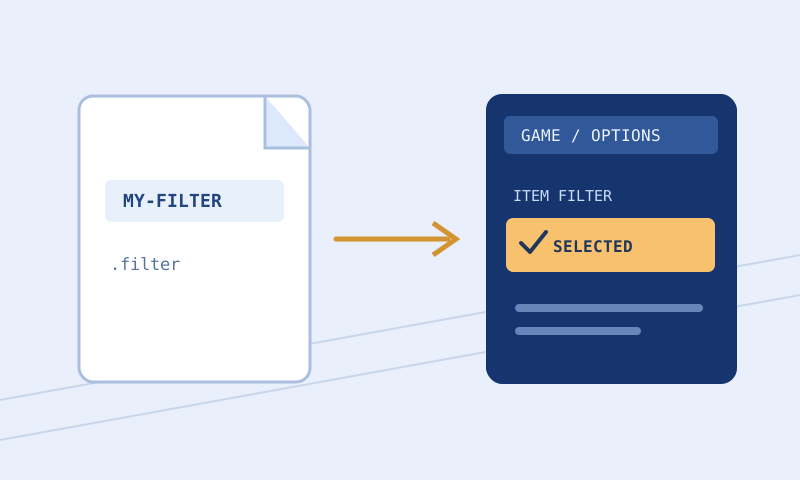
When a loot filter appears not to work, the tempting response is to download another file and try again. That can hide the original cause and leave several almost identical copies behind. A better approach is to identify which layer failed: generating the file, saving it, locating it, loading its syntax, selecting it, or matching a particular item. Each layer has different evidence. This workflow explains how to gather that evidence while protecting a known-good configuration and avoiding unsupported assumptions about your device.
Describe the symptom before choosing a fix
‘The filter is broken’ could mean the client does not list it, reports an error while loading it, or displays an item differently from what you expected. Those are separate problems. Write the exact symptom and any error message first. If a line number appears, preserve it with a copy of the file that produced it. Editing before recording the evidence can make a later report impossible to reproduce, especially when several changes shift the line numbers.
Also note the game, mode, platform, and whether the problem affects every label or only a specific item. A file intended for one game should not be assumed compatible with another. Client interfaces can change, and operating systems may relocate user folders. This article does not establish a verified folder path for every platform. Prefer a folder-opening control supplied by the client, when available, and use the installation guide with its stated verification limits.
Keep a recovery copy outside the experiment
Before troubleshooting, duplicate the last filter that loaded successfully and give it a recognizable name. Do not overwrite that copy during experiments. Keep the candidate name distinct enough that you can tell the two apart in the client selector. Dates can help, but names that describe purpose are often easier to remember than a string of version numbers. Avoid making multiple files whose only difference is an invisible trailing space or a confusing suffix.
A rollback is useful even when the original filter has a minor behavior problem. Restoring a mostly working file lets you separate urgent play from careful debugging. If you have no known-good file, start with a small original example from the Loot Filter Builder rather than copying a complex configuration whose imports and assets you do not understand. Starter output is a learning baseline, not an economy-ranked replacement for a reviewed personal filter.
Check the real filename and file contents
Some file managers hide recognized extensions. A document that appears to be named session.filter may actually be session.filter.txt. Enable the platform’s extension display or inspect the file’s properties rather than guessing from its icon. The filter must be a plain text file with the extension expected by the client. Renaming a rich-text document does not remove its formatting instructions; open it in a text editor and inspect the beginning of the file.
Check for accidental download content too. A saved error page, login response, or HTML document is not filter syntax, even if it has a convincing filename. The first meaningful lines should resemble documented filter instructions or comments. If the file contains page markup, stop and obtain the intended text through the original export control. Keep confidential account information out of debugging uploads. This site’s tools are designed to inspect text locally, but a message sent through the contact form is transmitted.
Resolve location problems without guessing a path
If the client does not list the file at all, investigate its location and extension before rewriting rules. User document folders may be synchronized, redirected, or named differently across installations. A path found in an old forum post can be correct for that author’s setup and wrong for yours. Use the actual client’s current controls or platform documentation to identify the folder it reads. Confirm that the candidate exists there, rather than in a browser’s default download directory.
Do not assume that desktop instructions apply to a console or another operating system. This toolkit does not provide account synchronization or a universal installation channel. If your platform lacks the local-file workflow described here, check the platform-specific options available in the game. The Setup Checklist can organize checks, but ticking a box is not evidence that the game found the file. Evidence comes from the file appearing and loading in the actual client.
Treat parser errors as precise clues
If the client reports a syntax error, preserve the exact wording and inspect the surrounding block. An error can be caused by the previous line, such as an unmatched quotation mark, rather than the line where parsing finally stops. Look for malformed numbers, unsupported keywords for the selected game, and accidental punctuation introduced by a word processor. Change the smallest plausible cause first. Repeated broad edits can turn one understandable error into several unrelated ones.
The Filter Validator provides line-oriented checks and warnings for its supported syntax. Its report is a useful second opinion, not proof that every client feature is implemented. An unresolved Import or unavailable sound inventory should remain an explicit limitation. Do not delete an unfamiliar instruction solely to make a browser warning disappear. Compare it with the relevant official language documentation and decide whether the selected game and mode support it.
Verify which file the client actually selected
A successfully saved file can still be inactive. Check the selector after loading, and use the client’s reload behavior when changing an already selected file. Interface labels may differ by version, so follow the current interface rather than memorized coordinates. Keep the test simple: change one conspicuous but safe style on a common item category, reload, and observe a representative drop. Avoid using a rare item as the only evidence that the new file loaded.
If you see the old appearance, investigate selection and reload before assuming the color rule is invalid. Compare the candidate’s contents with the copy in the active folder. A browser download may have added a numeric suffix, leaving the older file untouched. A synchronized folder may also contain multiple copies. Resolve the naming ambiguity, then return to syntax or matching tests. This order prevents you from debugging text that the game never read.
Investigate unexpected item behavior separately
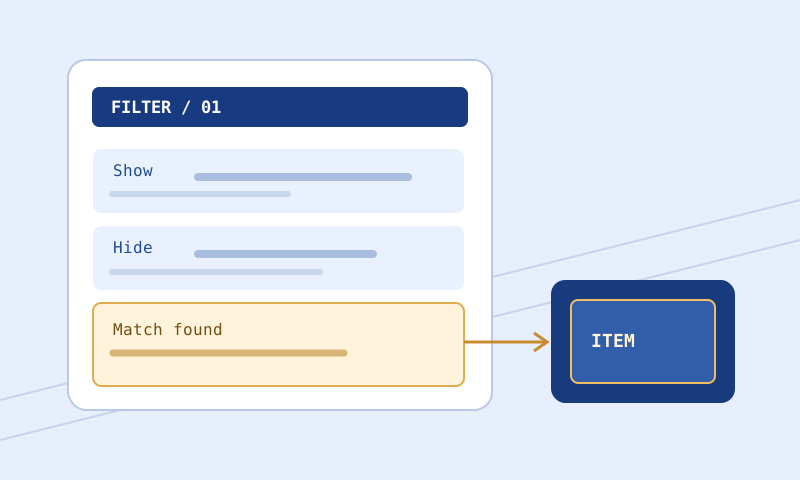
When most labels work but one item behaves unexpectedly, installation is probably not the first suspect. Check the item’s properties, the order of matching rules, and any Continue behavior. An early broad rule can decide visibility before a later specific exception is reached. Similarly, a test item may lack the property you assumed it had. Keep the copied item text, the expected outcome, and the matching block together in your notes.
Use the Item Tester to trace supported conditions. An unknown outcome is useful: it identifies what the simplified evaluation cannot establish. Do not convert uncertainty into an assertion that the item will show. Read the rule-order walkthrough before rearranging a large file. If a custom sound is involved, confirm the file separately; browser code cannot inspect an arbitrary game directory without files you explicitly provide.
Close the investigation with a reproducible record
After finding a fix, write a short record: symptom, cause, smallest change, and verification performed. For example, ‘The selector could not see the file because it had a second extension; corrected the filename and confirmed loading’ is more useful than ‘downloaded again.’ Keep a comparison of the old and new text when syntax or behavior changed. The Filter Compare tool can help isolate that evidence without deciding the meaning of every difference for you.
If you still need help, send a minimal relevant snippet and the exact error through Contact. Remove private names, local directory details, and unrelated account information. Include what you have already tried so the next person does not repeat the same checks. A careful report cannot guarantee a fix or response time, but it greatly improves the chance that discussion focuses on the failing layer rather than on a collection of unrelated guesses.