Item Tester
Paste a complete English copied item and a filter, then trace supported conditions, matched line and style; unresolved inputs produce unknown.
Workspace
Your filter input is processed in this browser, not sent to the website for analysis.
Test a copied item
Paste the complete English Ctrl+C item text. Missing properties, unsupported conditions and unresolved imports produce an unknown result, not a successful match.
This interactive tool needs a modern browser with JavaScript and local worker support. Processing stays on your device.
Verification note: GGG filter documentation reviewed 2026-09-30; current patch and in-game behavior not verified.
Understand why an item receives a label
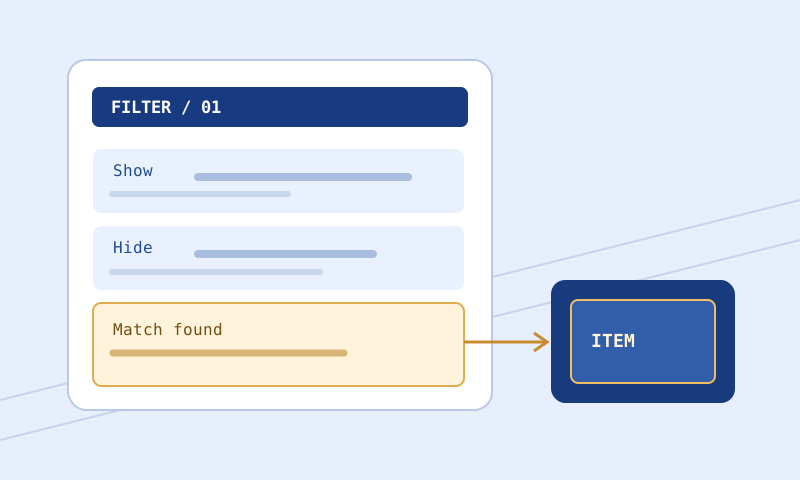
The Item Tester evaluates one copied item’s recognized fields against the supported subset of a supplied filter. The result includes parsed item data, a block-by-block trace, uncertainty reasons, a matched line and decision where determinable, and an approximate label preview. It does not generate loot, know market prices, or execute the game’s entire filter language. A truthful unknown result often tells you exactly what evidence is missing.
Supply the two inputs that answer your question
Choose PoE 1 or PoE 2 for the actual filter. On a supported PC client, hover an item and copy its complete English plain text with the game’s item-copy command, commonly Ctrl+C. Paste into Copied item; do not type a description of how it looks. Then load a .filter or .txt file into Filter file, drop the file onto Filter text, or paste its complete contents. Press Evaluate item. The displayed JSON is the diagnostic record; Copy result or Download result saves that record as text, not a runnable .filter file. Keep actual filter and item text alongside a report you may need to reproduce later.
Do not reorder the file simply to put your favorite rule at the top. An earlier terminating block can explain why a later intended highlight does not run. If investigating an installed filter, use the revision that the client actually selected, not a newer unsaved tab. Inputs are limited to 5 MiB each; an oversized or rejected file did not participate in evaluation. Filter Rule Explorer can help you locate a Show or Hide block and inspect its exact source line before testing the item; its keyword summaries do not predict the item’s outcome.
Worked example: rare body armour at a boundary
Select PoE 1 and paste this illustrative English copied-item shape, including separator and item level, into Copied item:
Item Class: Body Armours
Rarity: Rare
Example Coat
Simple Robe
--------
Item Level: 75
Paste this small filter in Filter text:
Show
    Class == "Body Armours"
    Rarity Rare
    ItemLevel >= 75
    SetFontSize 40
    SetTextColor 255 255 255 255

Hide
    Class == "Body Armours"
    Rarity Rare
    ItemLevel < 75
Expect parsed Class Body Armours, Rarity Rare, BaseType Simple Robe, and ItemLevel 75. The trace should show a match on the first Show block and a Show decision at its header line; the approximate browser label uses the 40px action. The second block is not reached after that terminating Show. Change only the copied item’s Item Level to 74 for a diagnostic boundary exercise: the first condition fails and the Hide block can match. This exercise is about supported matching, not an assertion that the invented sample is a real game item you obtained. For acceptance testing use a complete actual item copy from the client.
If you change the first ItemLevel condition to > 75, the exact boundary value 75 no longer matches that first block. The later < 75 block also fails at 75. The tool’s no-match state then means no supported rule in this supplied example decided the outcome; it does not claim the game hides the item by default. This matters when a filter has a final Show fallback or imports not included in the test.
Read the trace and unknown state
The item parser looks for English Item Class, Rarity, the name and base after rarity, Item Level, Quality, Stack Size, Map Tier, Waystone Tier, and sockets. It derives linked-socket group length from Sockets. Negative flags such as not Corrupted or not Mirrored are only inferred from a copy with rarity and separator. It does not infer missing ItemLevel as zero, nor can it turn every visible item property into a supported condition. Inspect the parsed item object before trusting a decision.
A supported condition that fails can exclude a block. A condition requiring an absent property or one the evaluator does not implement makes that block uncertain unless another supported condition already excludes it. Any unresolved Import makes final evaluation uncertain; imported source might change the path. A filter with syntax errors yields unknown with validation details. If a matched supported block has Continue, subsequent matching blocks can contribute actions or a later decision. The trace shows supported order; it is not proof of every in-game styling nuance.
The browser preview is intentionally approximate. It renders selected text, background, border, and font actions with defaults where the block has none. It does not prove audio playback, local custom sound presence, exact icon or effect appearance, game lighting, or the renderer’s full Continue behavior. When result is unknown or no supported rule decided, preview says appearance undetermined rather than manufacturing a success state.
Interpret a trace before changing a rule
In the worked example, the trace entry at first Show header has state match. If you change copied Item Level to 74, expect that entry to become no-match and the Hide header entry to become match. MatchedLine identifies a block header, not the individual condition that decided it. The style object lists actions collected from supported matching blocks; seeing SetFontSize in that object does not prove the client rendered a 40px label. If reasons includes a missing-property message, investigate parsed item first. A confident-looking style preview cannot resolve missing evidence.
Suppose copied item lacks Item Level but still has class and rarity. Both example blocks need ItemLevel, so neither should be treated as a confirmed match. The state becomes unknown, not an assumed zero or an ignored condition. Get a complete client copy if available, or use official documentation and in-game observation for an item type the parser cannot describe. Do not manufacture an item-level field merely to turn unknown into a desired answer.
Use paired tests after each revision
For a numerical cutoff, test an actual example below threshold and one at or above it where samples are available. For rarity, test intended rarity and another. For base-name conditions, consider similar names: substring and exact matching can differ. Keep file order unchanged while making acceptance tests. A tiny diagnostic filter can teach the semantics of one line but omits production imports, earlier exceptions, and fallbacks.
After modifying a rule, run the same copied item again and compare trace entries. Then test one item that should not match the exception. A false positive can create exhausting alerts even when a wanted item looks right. Save useful item samples without private notes when sharing, and keep a rollback filter. Filter Compare can show whether your fix changed more than intended. Follow the safe edit and test guide for a backup and client verification sequence.
Resolve surprises systematically
Unknown instead of Show or Hide: Read reasons in JSON. Missing copied-item properties, advanced conditions, or unresolved imports need different remedies. Get a complete supported English copy, validate the referenced file separately, or perform the decisive test in game. Do not delete useful unsupported instructions simply to obtain a tidy browser result.
The parsed class or base looks wrong: Compare raw item text with parsed fields. The parser expects a particular English shape; localized copies or unusual formats may not map cleanly. Stop interpreting the trace until input is reliable. The client shows another label: Check selected installed revision and reload first, then inspect earlier rules and unsupported conditions. The browser sample cannot certify a game display.
A sound appears in a matched block but is silent: Reaching an action differs from proving that an audio file exists or client plays it. Check local sound assets and client settings independently. The filter seems valid but no block matched: A no-match report in this subset is not a default Hide verdict; review fallback and actual client.
Continue learning
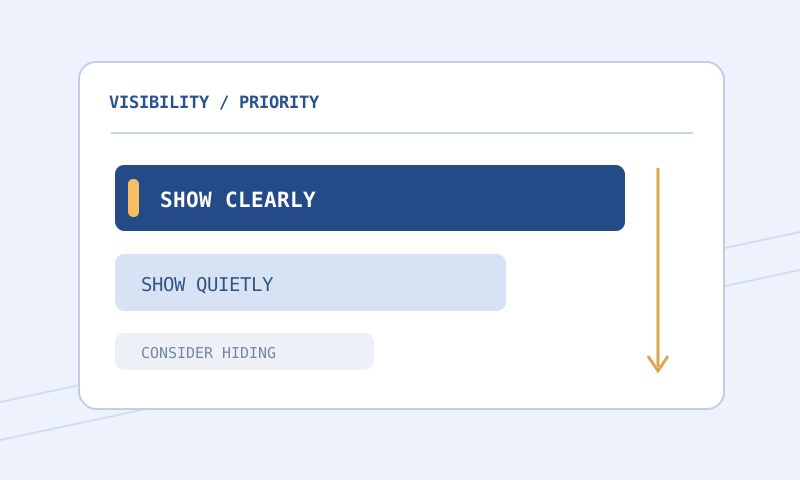
Start with Filter Validator if input has syntax errors, then consult the rule-reading guide or the PoE 1 guide and PoE 2 guide for planning. The strictness guide helps decide whether a tested Hide is desirable. For full language behavior consult GGG’s item-filter reference. Documentation review on September 30, 2026 does not certify a current patch or item outcome.