Filter Validator
Validate an actual .filter file against the selected game and mode, read line-numbered errors and warnings, then copy or download the diagnostic report.
Workspace
Your filter input is processed in this browser, not sent to the website for analysis.
Check your filter
Up to 5 MiB. Supported syntax checks only; no client compatibility guarantee. Sound files and imports cannot be verified without their source files.
This interactive tool needs a modern browser with JavaScript and local worker support. Processing stays on your device.
Verification note: GGG filter documentation reviewed 2026-09-30; current patch and in-game behavior not verified.
Find problems without overstating certainty
The Filter Validator checks supplied loot-filter text for recognizable syntax errors and selected structural warnings. It can help locate a malformed color, an impossible sound ID, an unknown keyword, or a mode-specific instruction before you install a file. It does not run the game’s parser or certify that your item choices are good. A clean result means that these supported checks found no errors in this input, not that the client accepted the file or that every wanted item remains visible.
Validate the file you will actually install
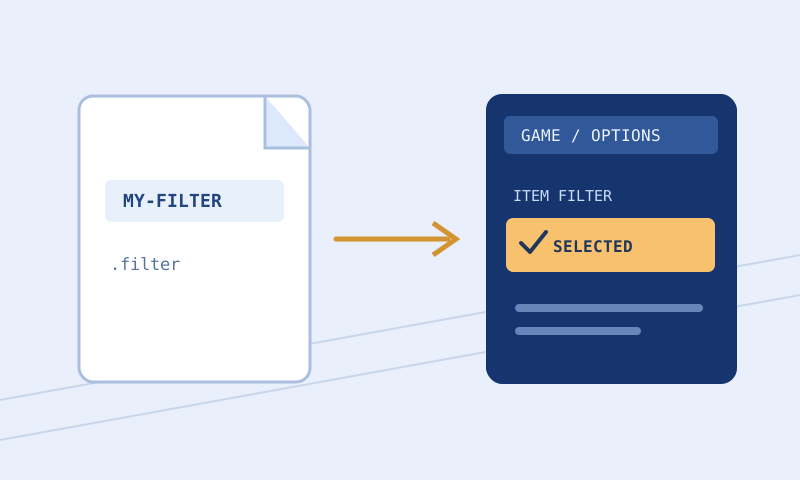
Choose Game: PoE 1 or PoE 2. Choose Mode: Normal or Ruthless (PoE 1). Then use Load a filter file, paste text into Filter text, or drop a .filter or .txt file onto the textarea. Press Validate filter. The output reports valid status, line-numbered issues, block count, import count, UTF-8 byte count, and scope. Copy result and Download result save the diagnostic JSON as text. They do not export a repaired filter. Keep the original file: fixing an error requires editing source, validating it again, and saving that edited source separately.
Each input is limited to 5 MiB (5,242,880 UTF-8 bytes). If a file exceeds the limit, nothing was loaded or validated. Splitting a large file into sections may isolate an error but cannot establish full-file validity: top-level imports and block ordering depend on surrounding text. If an error appears after a long run of issues, fix the earliest plausible structural cause first, then rerun on the complete revision.
What the checks mean
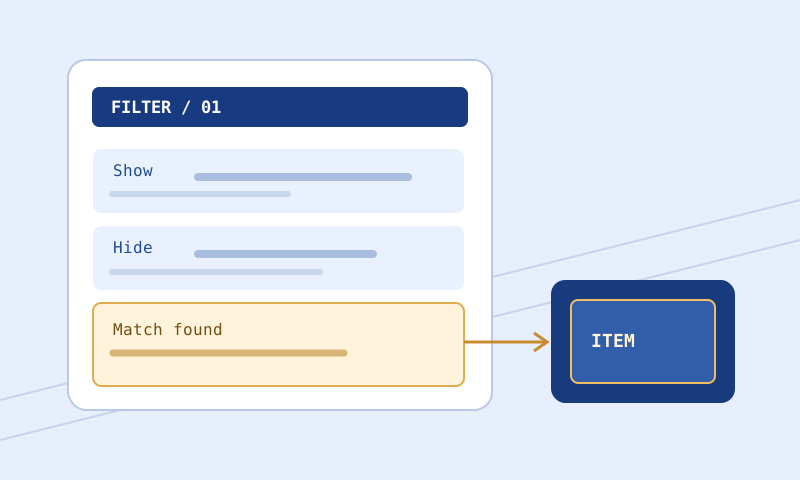
The parser recognizes Show, Hide, and Minimal block headers, top-level Import, comments, and quoted strings. It checks basic instruction spelling and argument shape for its supported subset, including color components 0–255, SetFontSize 1–45, supported built-in sound IDs 1–16 or None and volume 0–300, and minimap icon size, color, and shape. Game and mode matter: Minimal is Ruthless-only; Hide is not available in Ruthless; Ruthless is not a PoE 2 option here. Certain conditions are restricted by the selected game.
Read errors before warnings. An error makes the report’s valid flag false. Warnings can identify duplicate blocks, an unconditional terminal block followed by unreachable blocks within this file, unresolved Import, custom sound availability, or advanced semantics the tool does not check fully. No warning about reachability does not prove every rule is reachable: the validator only detects a limited structural case. A documented game keyword may still be outside the validator’s full semantic coverage.
Worked example: a bad channel and a correction
Select PoE 1 and Normal, paste this exact text, and run the check:
Show
    Rarity Rare
    SetTextColor 300 220 180
The result has valid false and a line 3 error because 300 exceeds the 0–255 channel range. Changing only that line to SetTextColor 255 220 180 and running again removes this specific range error. Do not mechanically clamp every out-of-range number: perhaps 300 was copied from an alert volume, which suggests the line was pasted into the wrong action. The corrected file still needs an in-game load and a check that the intended rare items receive this style.
For a second supported example, paste Import "personal-rules.filter" as a top-level statement. The report can mark the parent text syntactically valid while warning that the import is unresolved. This is not a confirmed missing file; the browser was not given the dependency. Validate that referenced file separately, inspect its relationship to the parent, and confirm its availability in the client’s actual directory. A custom alert sound warning likewise means availability was not checked, not that an installed asset is definitely broken.
Interpret a real report, not just the headline
With the three-line invalid-color example, expect blocks to be 1 and imports to be 0. The bytes field counts UTF-8 bytes in what you actually pasted, including whitespace; it is not a line count. The issues array includes severity, line, and message, so a colleague can locate the exact rejected instruction. A valid false flag reflects at least one error. If you correct that channel and rerun, compare both reports rather than keeping the first screenshot: a second independent mistake could remain elsewhere.
When valid is true but issues contains warnings, read the warning messages before calling the file done. For example, an Import warning asks you to inspect a dependency, not to erase it. A duplicated-block warning asks whether you intentionally wrote the same header and rule arguments twice. The scope string says supported syntax subset only. It is part of the result’s meaning, not legal fine print to remove from a shared report.
Check ordering separately from syntax
Consider a Show block for all Rare items followed by a Hide block for Rare items below item level 50. Without Continue, the first matching Show stops evaluation, so the later narrow Hide does not do what its author may intend. This validator’s terminal warning covers an unconditional block without conditions, not every broad condition that shadows a later block. A valid result does not settle this example. Use the Filter Rule Explorer to locate both blocks with line numbers, then the Item Tester on representative copied items; finally confirm behavior in the client. The explorer describes written rules but does not evaluate an item or resolve imports. Do not reflexively insert Continue: that affects both control flow and later style actions.
A practical repair loop
First save a backup with an unambiguous revision name. Validate the downloaded or installed text, not a different draft still open in the builder. Read the first reported line in the raw plain-text file; rich-text quotation marks, a heading lacking a comment marker, or an unclosed quote can create a cascade of diagnostics. Make a small deliberate correction. Recheck the complete file, and use Filter Compare to make sure only the intended lines changed. If inconsistent indentation obscures an error, Filter Formatter can clean leading layout without fixing the syntax itself. Finally select and reload the corrected file in the client.
If the game rejects a file the browser accepts, record the client’s exact error and line number, verify that both were pointed at the same revision and game, and consult the current official language documentation. The site’s documented subset can lag a newly released game keyword or disagree with behavior in a particular client version. Do not delete an unfamiliar instruction just to silence a diagnostic: learn whether it supplies an essential exception first.
When errors seem contradictory
Check whether you chose PoE 2 while inspecting a PoE 1 file or Ruthless while intending Normal. For instance, Hide can be perfectly legible text but is disallowed in the selected Ruthless capability set. Changing the mode selector to Normal should not conceal the fact that you intend to install the file for Ruthless. Fix the file or select the environment you really play. If a color line was copied from the palette, check that all components are integers and that you pasted it under a block header, not above the first block.
The validator suggests nearby known keywords for some unknown words, but a suggestion is not automatic correction. Check a proposed replacement against the official reference and your intended behavior. A typo in a rule key differs from a deliberately new or unsupported condition. Similarly, a numeric argument can pass a range check and still be a terrible design choice: a tiny font might be syntactically valid but unreadable. Separate language errors, coverage uncertainty, and editorial quality in your notes.
Questions and limits
Will this detect all unsafe hiding? No. A syntactically correct Hide can be a bad decision for your character. Review exclusions and test wanted items. Will it find local sound files? No. The browser receives a filename in the text, not unrestricted access to the game’s folder. Can I validate PoE 2 in Ruthless mode? The tool reports that combination as unsupported. Can it correct the source for me? No; the result is a report, not a rewritten filter. What if a warning describes an intentional rule? Preserve the reason in your revision notes and confirm the behavior; warnings prompt review rather than mandate deletion.
Continue the workflow
Read the error troubleshooting procedure, installation and reload troubleshooting, the PoE 1 guide, or the PoE 2 guide. Check unusual syntax directly against GGG’s filter reference. The documentation review date is September 30, 2026; it is not an in-game certification or a claim about a current patch.