Read filter rule order and Continue as a decision path
Trace matching blocks, distinguish conditions from actions, and keep unsupported cases explicitly unknown.
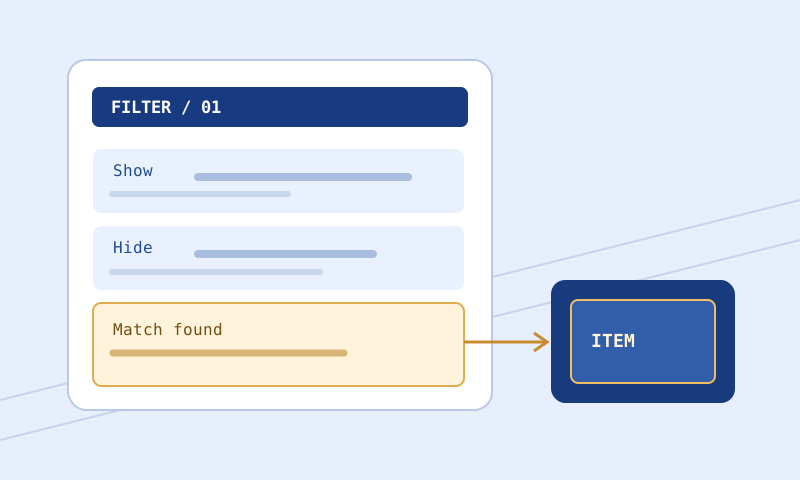
A filter can contain all the rules you intended and still produce the wrong result because those rules appear in the wrong order. Reading it as a list of independent preferences makes that failure difficult to spot. Reading it as a decision path is more productive: inspect a block, evaluate its conditions, apply relevant actions, and determine whether evaluation stops or continues. This article builds that mental model and shows how to test it without confusing an unsupported browser simulation with the behavior of the actual game client.
Understand a block before tracing the file
A block begins with a visibility instruction appropriate to the target game and mode, followed by conditions and actions. Conditions describe which items the block applies to. Actions describe presentation or other supported behavior when it matches. All conditions in a block must match; placing two conditions together does not ordinarily mean either one may pass. This distinction is essential when a rule looks visually correct but never applies to the item you expected.
Separate these roles as you read. A condition such as an item-level comparison narrows eligibility. A text-color action does not narrow eligibility; it changes the presentation of eligible items. If you accidentally omit a condition, the style does not make the block selective on its own. A broad block with a very specific-looking color can still affect many items. Comments can explain your intention, but they do not enforce that intention.
Order is part of the program
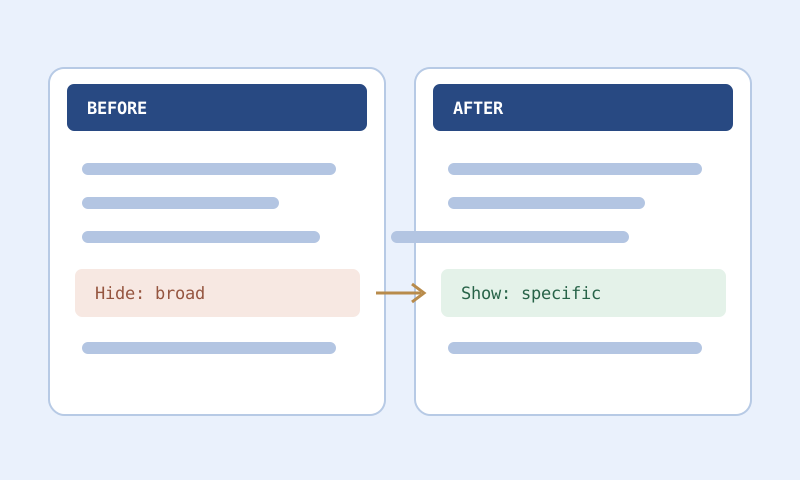
In the ordinary stopping case, a matching Show or Hide block determines the outcome and later blocks are not evaluated for that item. This is why specific exceptions generally belong before broader fallbacks that would otherwise catch them. The rule is not ‘the most specific block wins.’ A later block does not receive priority merely because it contains more conditions or names a precise base. Position and control flow decide whether it is ever reached.
Consider an intended personal-upgrade exception followed by a broad ordinary-equipment policy. If you put the broad stopping rule first, eligible equipment can be handled before the exception has a chance to match. Moving the exception above it changes behavior even if neither block’s text changes internally. The Filter Compare tool can expose that movement, but understanding its effect requires tracing representative items through both orders.
Trace a positive and a negative example
Choose an item that should match the exception and write down its relevant properties. Start at the top of the file, not at the block you hope will win. For each block, record match, no match, or unknown, with a short reason. If a block does not match, continue to the next. If a stopping block matches, stop the trace. This prevents a common mistake: reading only the desired block and overlooking an earlier rule that already decided the result.
Now choose a similar item that should fall through to the broad policy. Change one meaningful property at a time where possible. The pair tells you whether the exception is both reachable and sufficiently narrow. A single successful example cannot show that the block avoids catching neighboring items. The Item Tester can assist with supported conditions, but preserve your written expectation so that the displayed result does not quietly redefine what you meant to test.
Continue changes the stopping decision
Continue allows evaluation to proceed after a matching block instead of treating that match as the ordinary final stopping point. It can be useful when early blocks establish styling that later rules refine. However, it also means that understanding one matched block is not enough. You must inspect the later path and determine which subsequent matches affect visibility and presentation. A label preview based solely on the first matching block can therefore be incomplete.
Use Continue for a clear reason, not as a universal fix for unreachable rules. Adding it to a broad block can expose many later matches and alter behavior far beyond the item you are debugging. Before introducing it, identify the intended subsequent block and test cases that should and should not reach that block. If the purpose is merely to protect one specific exception, moving that exception may be simpler and easier to maintain.
Keep styling expectations explicit
When several blocks participate, write down which actions each block contributes and where a later action changes the same property. Do not assume that a later match resets every property to a neutral default. Equally, do not assume that a browser implementation models every action supported by the client. Your expectation should be grounded in the documented behavior for the instructions you actually use, then checked against the client when the outcome matters.
A practical note might say: ‘The early category rule supplies the ordinary text treatment; the later priority rule supplies a stronger border and final visibility.’ That is easier to review than ‘Continue makes this work.’ If you cannot explain the final style property by property, simplify the sequence before adding another layer. The palette tool can help inspect the intended final colors separately from the control-flow question.
Do not confuse unknown with no match
A simplified evaluator may not support a condition, may lack an item property, or may not have access to an imported file. None of those situations proves that the condition fails. Treating them as false can allow a later block to appear definitive when the unresolved earlier block might actually determine the result. Treating them as true is equally misleading. The honest outcome is unknown, accompanied by the missing evidence or unsupported feature.
This uncertainty can propagate through Continue and later blocks. A final preview may look plausible while still depending on a path the tool could not establish. Read the result’s limitations before using it as evidence. If an Import references local text that you have not supplied, the browser cannot inspect it automatically. Resolve the dependency through explicit files and supported tooling or check the complete configuration in the game. Do not report an incomplete trace as a verified final outcome.
Watch string and comparison semantics
Rule-order debugging sometimes reveals that the intended block was reachable but its condition did not mean what the author assumed. Numeric boundaries depend on the chosen operator. String matching can distinguish equality, substring behavior, and exact matching. A familiar-looking operator should be checked against the language documentation for the condition involved. Do not infer its meaning from a different programming language or from how a search box behaves.
Create boundary cases around the questionable condition. For a numeric threshold, compare below, at, and above it. For a string, use an intended name and a close non-match. Keep quoted strings intact when copying examples, especially when filenames contain characters that might otherwise look like comment markers. The Filter Validator can help identify malformed syntax, but only an intentional set of examples shows whether a valid condition represents your goal.
Review unreachable blocks conservatively
An obviously broad stopping rule can make later blocks unreachable for a particular set of items. Automated warnings about shadowing are useful, but a complete proof can be difficult when conditions, imports, or unsupported semantics are involved. Distinguish an obvious duplicate from a suspected overlap. Removing a block merely because a tool cannot find a representative matching item is risky; the test corpus may be incomplete or the evaluator may lack a relevant condition.
Before deleting a suspected dead block, write the situation it was intended to handle and try to construct a valid example. If the situation is obsolete, remove the block with a clear change note. If it remains relevant, reorder or narrow the surrounding rules and add the example to your regression pack. See building a small regression test pack for a manageable way to preserve those cases across future edits.
Favor a file you can explain
There is no prize for the most intricate Continue chain. A shorter decision path with explicit exceptions is often easier to review than several layers of inherited styling. Group related rules, keep comments focused on reasons, and save a known-good version before reorganizing. Follow the strictness guide when ordering changes also alter visibility priorities. Finish with syntax checks, representative traces, and client verification where available. Clear reasoning is a stronger foundation than a preview that merely looks right.