Choose loot-filter strictness around your next session
A practical way to reduce label clutter without hiding the equipment and resources your current character still needs.
Choosing strictness is not a test of how experienced you are. It is a decision about which drops deserve your attention during a particular session. A character replacing weak equipment has different needs from a character farming a narrow objective, even when both belong to the same player. Instead of asking which preset is best, ask what you would regret walking past today. This article develops that question into a repeatable review process that works without live prices, account access, or assumptions about your build.
Start with the cost of a mistake
There are two common mistakes in filter design. A false positive is a visible drop that you repeatedly inspect and leave behind. A false negative is a hidden drop that you would have wanted. Both have a cost, but the second is harder to observe because the filter has removed the evidence. This asymmetry is why a conservative starting point is useful while you are still learning what your character needs. You can measure annoying labels more easily than invisible missed opportunities.
Write a short list before editing anything. Include the equipment slots you expect to improve, the item classes you actively collect, and any resources required for your immediate plan. Keep this list concrete. A statement such as ‘I need a replacement weapon base’ is easier to translate into rules than ‘show valuable items.’ Value depends on context, and this site’s starter presets do not receive live market prices. A strictness label is not a valuation service.
Understand what the preset name does not tell you
Soft, Regular, Semi-Strict, Strict, Very Strict, Uber Strict, and Uber Plus Strict are useful descriptive labels, but they are not a universal filter-language standard. Different authors may attach different behavior to the same name. A preset can change visibility, font size, sounds, or several of these together. Read the resulting rules rather than assuming the word Strict has an identical meaning in every file you download or generate.
The Strictness Explorer describes typical tradeoffs, not a promise about the entire game’s item pool. Use it to make an initial hypothesis: perhaps fewer ordinary equipment labels will help, while resources and personal upgrade bases should remain visible. Then inspect the actual exported filter. If you cannot explain which classes a broad Hide rule affects, do not treat a reassuring preset name as sufficient evidence that it is safe.
Separate visibility from emphasis
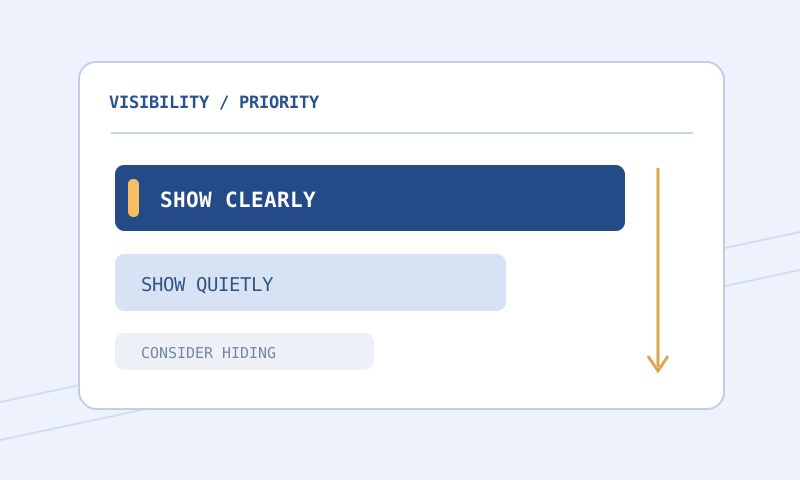
You do not have to hide an item merely because it is less important. A quieter visible label can reduce distraction while preserving a way to notice an unexpected upgrade. Consider three layers: unmistakable highlights for a small priority set, ordinary readable labels for useful drops, and reduced emphasis for items you rarely collect. Reserve hiding for categories whose absence you have deliberately accepted. This creates a gentler progression than jumping between extreme presets.
Use a consistent visual vocabulary across those layers. A larger font, clear border, and distinctive sound can identify a high-priority category without making every other label tiny. When too many categories use the strongest treatment, the filter loses its ability to communicate. The Color and Contrast Palette helps examine readability, although a browser swatch cannot reproduce every lighting condition or effect in the client. Confirm your most important labels during ordinary play.
Build a small decision table
For each category on your session list, record whether you collect it always, sometimes, or almost never. Add a reason and a review trigger. For example, an equipment class might be worth inspecting until a weak slot is replaced. Another category might remain relevant only while you are gathering materials for a particular project. Triggers stop a temporary preference from turning into an unexplained permanent exception that nobody remembers to remove.
Keep the table outside the filter if that is easier to maintain, or add short comments beside your custom rules. Comments should explain intent rather than merely restating syntax. ‘Keep these bases visible while replacing the current weapon’ is useful. ‘Show these bases’ adds little. If you later share the file with a friend, the reason also warns them that this choice serves a particular character rather than an objective ranking for all players.
Make one bounded change
Suppose ordinary equipment labels dominate your screen, but you still need two base families. Start from a saved working file. Add narrow exceptions for those bases above the broader rule that would hide them, using conditions appropriate to the selected game. Then lower emphasis or visibility for one unneeded equipment group. Avoid changing sounds, colors, class conditions, and ordering in the same pass. Multiple simultaneous changes make unexpected results harder to trace.
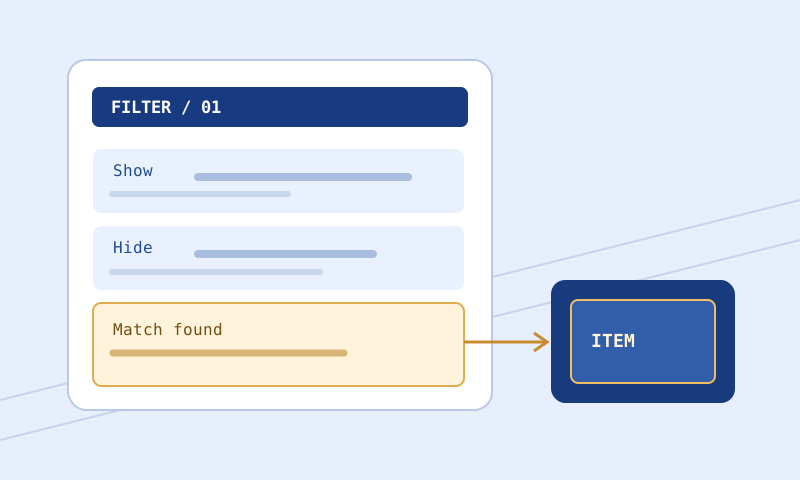
Use the Filter Compare tool to inspect the saved file against your candidate. Look for a concise explanation of every changed block. A formatting difference may be harmless, while a moved Hide block can substantially change behavior. The comparison identifies textual differences; it does not decide whether your character should want an item. Save the candidate under a distinct name so that selecting the previous file remains an easy recovery path.
Test both sides of each boundary
A useful test set contains items you expect to see and nearby items you expect not to see. If a rule depends on a numeric threshold, include examples just below, exactly at, and just above the threshold. If a rule depends on a named base, include a similar but different base. These neighboring examples reveal accidental broad matches that a single perfect example would miss. Record the expected outcome before reading the tool’s result.
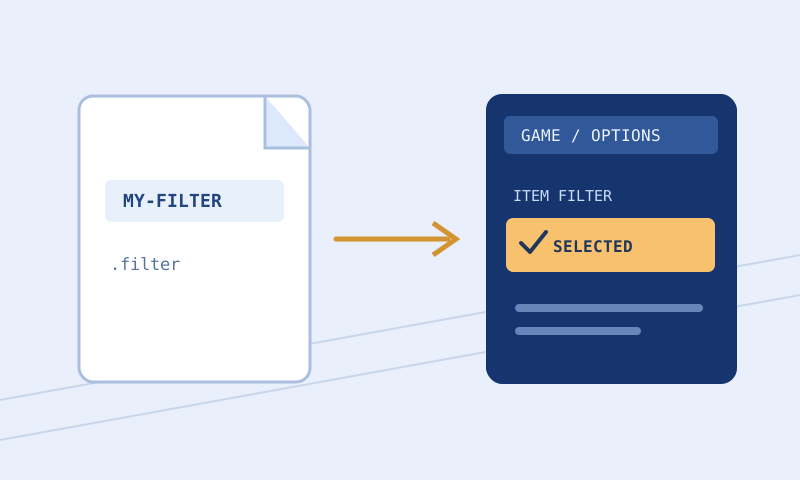
Paste representative item text into the Item Tester alongside the candidate filter. Treat unsupported conditions or absent item properties as uncertainty, not success. If the tester cannot evaluate an import, the browser result does not establish what the complete filter does. Review the relevant file and confirm the behavior in the client. See the strictness guide for a broader discussion of choosing and revisiting visibility boundaries.
Evaluate a session, not a moment
A crowded drop can make an aggressive preset feel appealing immediately. A quiet stretch can make the same preset seem harmless. Neither is a reliable sample on its own. Play a representative session and note recurring decisions: which labels you ignore, which upgrades you still inspect, and whether sounds become tiring. The goal is not to optimize an invented universal efficiency score. It is to make repeated decisions easier without obscuring your stated priorities.
If you notice a missed category, restore its visibility before investigating further. You can make a narrowly targeted correction later. There is little benefit in defending a strictness choice simply because it sounds advanced. Likewise, do not loosen every category because one exception was wrong. A short change log helps keep adjustments proportionate: describe the observed issue, the rule changed, the tests used, and whether the result was checked in the game.
Review when your goals change
Useful review moments include replacing a major equipment slot, switching characters, changing game modes, or starting a different farming objective. A new game update is another reason to review documentation and rerun examples, not evidence that every existing rule is automatically broken. Keep separate working copies for materially different needs. A single highly conditional file can become harder to understand than two small files with clear purposes and descriptive names.
Before exporting, run the Filter Validator, inspect warnings, and keep a known-good backup. Follow the installation guide to activate and check the chosen file. The final decision belongs to the client and your actual experience. Good strictness is the level at which the visible information supports your current choices. It is not necessarily the strictest file you can tolerate, and it should change when your reasons change.