Loot Filter Strictness Levels: Choose What You Need to See
Choose strictness by pickup value to you, not by a preset's prestige. Review exclusions, maintain exceptions, and test changes with a rollback plan.
Last reviewed: 2026-09-30. Verification note: Documentation reviewed 2026-09-30; strictness names are descriptive, not verified current economy tiers.
Strictness is a trade-off in attention
A loot filter asks you to trust a set of presentation decisions. Strictness summarizes how many potential decisions it removes by hiding or de-emphasizing drops. A permissive file asks you to inspect more labels. An aggressive file reduces clutter but makes more assumptions about what you no longer need. Neither is inherently superior without knowing the player, activity, and item coverage.
Think of strictness as an attention budget rather than a ladder of achievement. A veteran starting a new character may deliberately return to a permissive setup. A self-found player may protect an ordinary crafting base that a trade-focused preset suppresses. A narrow session objective may justify a specialized file that would be inappropriate for general progression.
The seven names used here are descriptive conventions backed by this site’s original starter definitions. They are not GGG language keywords, live price tiers, or standardized guarantees across filter authors. Supporting documentation was reviewed on September 30, 2026, but no current economy or game patch is certified.
What the seven familiar levels mean
Soft and Regular: preserve information
Soft describes broad visibility intended to help a player learn and inspect. It can be useful when you are unsure which bases matter or when your character replaces equipment often. The cost is more on-screen information, not necessarily a defect in the filter. You can make ordinary labels quieter without immediately removing them.
Regular introduces a more selective presentation while retaining a wide view of potential needs. Read its actual exclusions before adopting it. The word regular does not mean every item is visible, and a starter definition cannot guarantee coverage of every unusual category. If you need a near-complete diagnostic view, construct and verify that purpose explicitly.
Semi-Strict and Strict: use clearer priorities
Semi-Strict is often discussed as a middle ground, but it is not universally the best beginner choice. It makes sense only when the player can afford the categories it suppresses. A character with stable equipment but unfinished supply needs may want some of its exclusions and reject others.
Strict places greater emphasis on efficient inspection. It assumes that many routine drops are no longer worth the player’s attention. That assumption can be reasonable during a focused activity, but it needs exceptions for active crafts, personal base requirements, and occasional resources. A stricter name is not evidence of more accurate item valuation.
Very Strict, Uber Strict, and Uber Plus Strict: specialize carefully
Very Strict describes a narrower selection in which routine categories receive little attention or disappear. Uber Strict and Uber Plus Strict push that reduction further. As the file becomes more aggressive, the consequences of a wrong assumption become harder to notice because the affected label may never appear.
These levels require a deliberate exclusion audit. Ask what each hidden category could contribute to your current goals, not merely whether another player usually ignores it. Keep a broader fallback ready. An exceptionally clean screen can be the result of excellent prioritization or of missing information; appearance alone cannot distinguish them.
How to choose your first level
Write a needs inventory
Divide your list into immediate equipment, progression resources, crafting projects, and optional trading pickups. For each category, note why it matters and how often the need changes. A concrete need such as a particular defense family is more actionable than a general desire for good items. It also makes omissions in a starter dataset easier to spot.
Mark categories you do not yet understand. Uncertainty is a reason to retain visibility temporarily, perhaps with a quiet style, rather than a reason to assume the category is worthless. Learning from inspected drops can be part of the value of a permissive filter.
Observe a representative session
Use a reasonably broad file for an ordinary session and note what you actually pick up. Record repeated skips, but also why you skipped them. Inventory pressure, a temporary supply surplus, and genuine irrelevance are different causes. Only the last clearly supports a long-term exclusion.
Do not base the decision on one unusual burst of drops. A session spent pursuing a narrow objective may not represent your general needs. Keep separate observations for different activities if their pickup patterns differ substantially. The goal is a practical record, not a statistical claim about drop rates.
Compare adjacent choices
Use the Strictness Explorer to review what changes between neighboring levels. Compare shown, highlighted, and hidden descriptions rather than looking only at the slider’s position. If a category you need disappears, keep the lower level or create a verified exception before proceeding.
Make the first change small enough to explain. If you jump several levels at once and dislike the result, it becomes difficult to identify which exclusion caused the problem. Adjacent revisions create clearer evidence and a simpler rollback.
Examples from different play styles
A developing character
A character still changing weapons and armor frequently benefits from a larger pool of inspectable bases. Broad visibility with restrained styling can reduce urgency while preserving opportunities. Tighten only categories that you understand well enough to dismiss reliably. A preset chosen for somebody else’s finished character can create hidden gaps in your own progression.
A player gathering for a craft
A particular base or material can become temporarily important even if it is normally ignored. Add a purpose-specific exception ahead of broad exclusions where supported, and document why it exists. When the project ends, review the exception rather than leaving a permanent urgent alert for an item you no longer collect.
A player repeating a focused route
A mature character with stable supplies may prefer a separate focused filter that reduces low-priority labels. Review the exact categories being removed and keep the general-purpose file available. When changing activities, consciously select the appropriate file instead of assuming that the narrowest preset remains appropriate everywhere.
A player returning after a break
Old notes and familiar color meanings are useful, but your needs may have changed. Start with a broader revision until you remember what the exceptions mean. Check current documentation for unsupported or changed language. A previously successful installation does not verify compatibility with an untested current client.
Exceptions are part of strictness, not an embarrassment
A filter with a strict general policy and a few personal exceptions can be more effective than any unmodified preset. The challenge is making those exceptions precise, reachable, and maintainable. Use documented class or base conditions and understand the selected string operators. Similar-looking names deserve boundary tests.
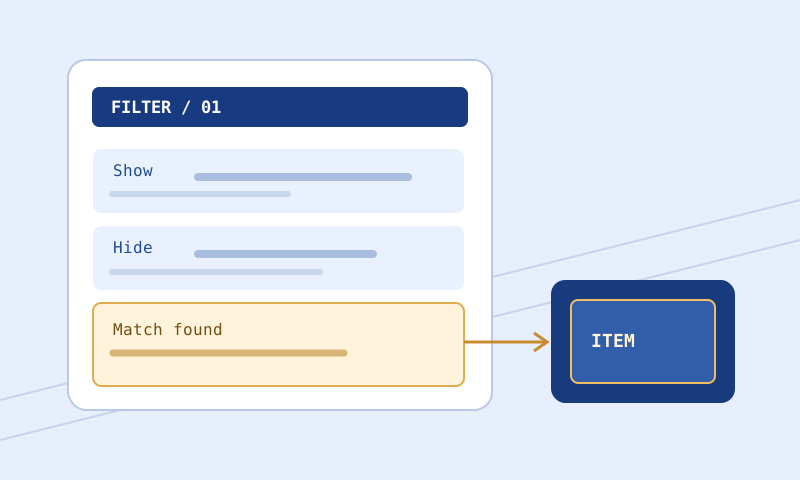
Place specific exceptions before broad terminating rules when that matches the intended logic. A matching Show or Hide normally stops unless Continue applies. Adding a wanted-item block after an earlier Hide does not automatically rescue the item. Continue can support layered behavior, but it also makes later interactions important and should not be added casually.
Document each exception’s purpose in a short comment. A note describing an active crafting goal is more durable than an unsupported price claim. Comments help future maintenance, but they cannot make an incorrect condition true or change the order in which rules execute.
Separate visibility from emphasis
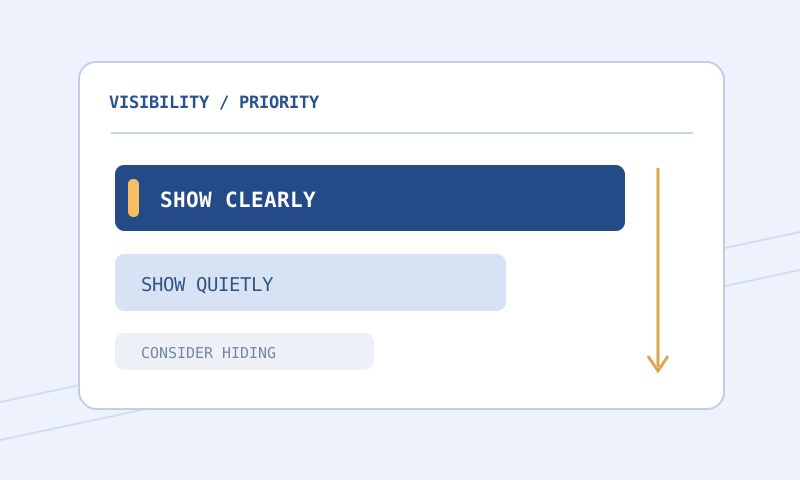
Before hiding a category, ask whether it is causing visual clutter, audio fatigue, or actual pickup inefficiency. These problems need different solutions. Smaller neutral labels can reduce clutter. Removing an alert can reduce sound fatigue. A narrower condition can reduce unnecessary inspection. Hiding is not the only available response.
Use the Color and Contrast Palette to preserve readability while lowering emphasis. A quiet label should still be readable when you choose to inspect it. Low contrast and tiny text are not good substitutes for an intentional visibility policy, especially when the category remains important occasionally.
A safe revision and testing process
Export a separate revision with the Loot Filter Builder or your own text workflow. Remember that the site’s preset data is starter material, not a live economy feed. Use Filter Compare to find newly hidden categories, broadened conditions, and moved blocks. Read those before reviewing palette changes.
Validate the proposed file with the correct game selected. Then use the Item Tester for representative wanted items and near misses. Check parsed properties first. Unsupported conditions, unresolved imports, and absent item data must remain uncertain; they cannot establish that a valuable exception is protected.
Install using a distinct filename and retain the old revision. Observe client behavior for important cases when feasible. A browser test is not a current-patch certificate, and a successful load does not prove that every hiding decision is wise. Record what remains untested so that confidence grows from evidence rather than from a completed checklist alone.
Common problems and fixes
I keep increasing strictness but still feel overwhelmed
Look at emphasis and category breadth. A handful of oversized, noisy categories can dominate a screen even in an otherwise restrictive filter. Reduce unnecessary urgency and clarify the selection rules rather than assuming the next named level will solve every problem.
I run out of supplies after adopting a farming preset
Revisit your needs inventory. The preset may assume an existing stockpile or regular trading that does not match your habits. Restore visibility for the affected category and consider whether its alert can stay quiet while the label remains available.
I cannot tell whether an exclusion is safe
Keep it visible until you can explain the category and test the relevant conditions. Uncertainty should not be hidden behind a familiar strictness name. Consult game-specific documentation and preserve a permissive fallback while learning.
Frequently asked questions
Does higher strictness create better drops?
No. It changes what you see and how you notice it. It does not improve loot generation, rarity, or drop rates.
Are the names consistent between authors?
No. They are conventions. Always inspect a filter’s actual definitions, especially when switching sources or comparing advice from different communities.
Should I choose based on character level alone?
No. Character level does not describe equipment gaps, supplies, crafting goals, or personal trading habits. Use those needs as the primary criteria.
Can I use one level for both games?
You can use a similar attention goal, but the underlying categories and valid language require separate review. Matching labels do not establish identical coverage.
Do live prices update these presets?
No. The explorer and builder use original starter definitions. They do not fetch prices or automatically retier items when market conditions change.
When should I loosen my filter?
When starting a character, changing projects, running short of supplies, returning after a break, or investigating missing items. Loosening is a useful adaptation, not a backward step.
Related guides and source
Apply the framework with the Path of Exile 1 guide or Path of Exile 2 guide. Read sounds and colors before solving every attention problem through hiding, and use the installation guide for safe revisions. Exact language behavior belongs to GGG’s item-filter reference, reviewed here as documentation rather than in-game proof.